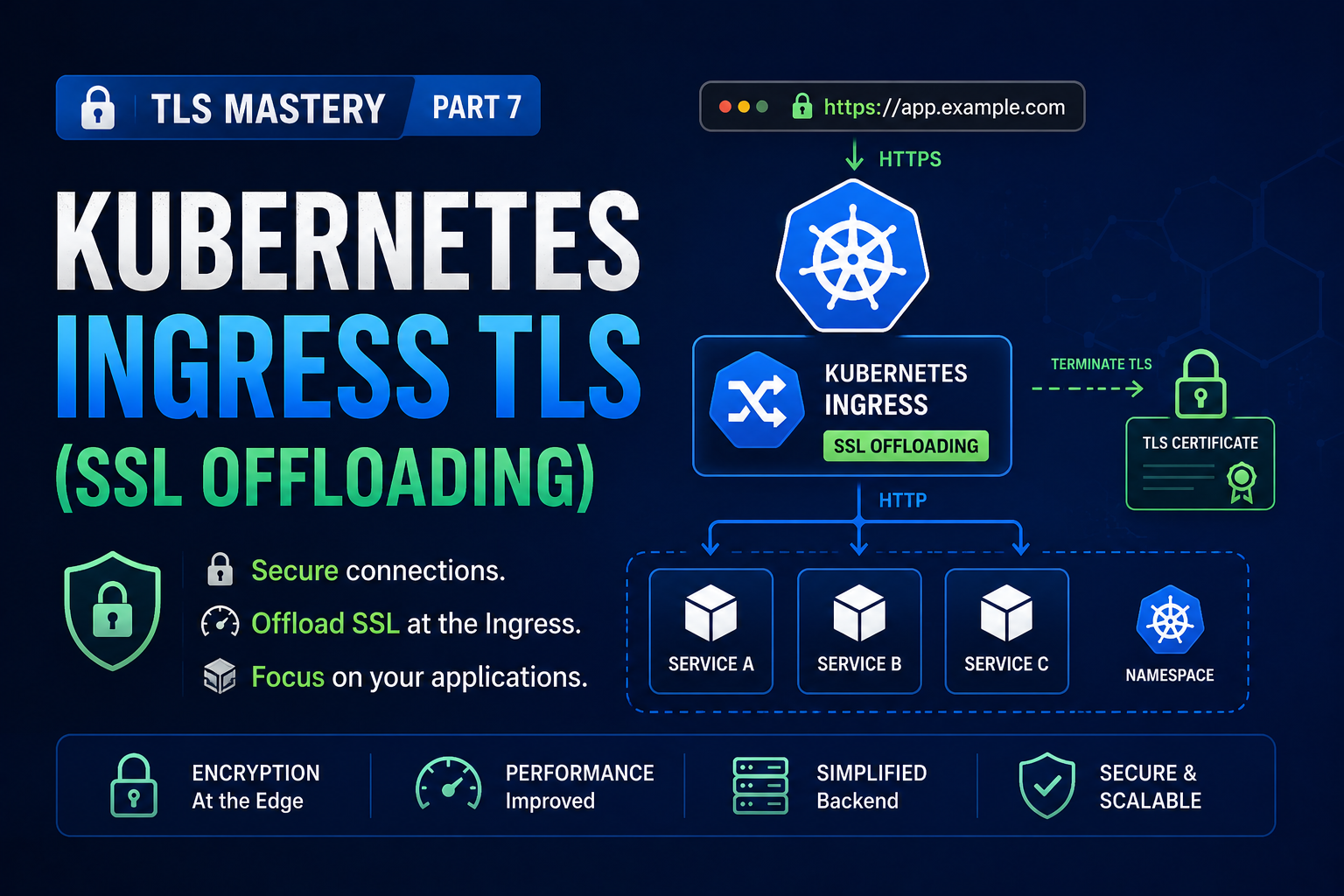
With the fundamentals and OpenSSL behind us, let’s bring TLS into Kubernetes — and take it all the way to mutual TLS and automation.
In this part:
- What Ingress and Ingress controllers are
- Host-based vs path-based routing
- TLS termination (SSL offloading) — and where to do it
- Creating a Kubernetes TLS Secret
- Configuring an Ingress to terminate TLS, with a Traefik walkthrough
- Server vs client certificates and what changes
- Mutual TLS (mTLS) — both sides authenticate
- How the Kubernetes API server authenticates you via client certs
- cert-manager — automated issuance and renewal in Kubernetes
What is Ingress?
In Kubernetes, Ingress is an object that defines the rules for how external traffic reaches your apps — by hostname or URL path. Those rules are enforced by an Ingress controller: an actual running pod (Traefik, nginx, HAProxy, or a cloud load balancer) that reads Ingress objects and reconfigures itself automatically.
Browser  ──>  Ingress Controller  (Traefik, nginx, HAProxy)
               │
               ├─ app1.com ──>  Service: app1  ──>  Pods
               └─ app2.com ──>  Service: app2  ──>  Pods
Without Ingress you’d expose each app via a NodePort or its own LoadBalancer. Ingress gives one smart entry point.
Two ways to route
Host-based (name-based):
Ingress Controller
  ├─ cart.amazon.in     ──>  cart-service
  └─ wishlist.amazon.in ──>  wishlist-service
Path-based:
Ingress Controller
  ├─ /cart     ──>  cart-service
  └─ /wishlist ──>  wishlist-service
The real question: is the traffic encrypted?
By default, traffic to backend pods is unencrypted HTTP. We want public-facing traffic to be HTTPS. So where should TLS be handled? Three patterns.
A — TLS at the application: each pod holds its own cert/key; encryption runs all the way to the app. Works, but every app must manage certificates.
B — TLS at a reverse proxy: certs live on a proxy in front; HTTPS to the proxy, plain HTTP internally.
C — TLS at the Ingress controller (what we’ll do): since the controller is already the entry point, put the certificates there.
User  ──[HTTPS encrypted]──────────────────────>  Ingress Controller
                                                  (holds TLS secrets)
                                                   │
                                                   ├─ HTTP plain (app1.com) ──>  app1 service
                                                   └─ HTTP plain (app2.com) ──>  app2 service
- User → Ingress controller: encrypted HTTPS (crosses the public network — must be secure).
- Ingress controller → backend pods: plain HTTP (stays inside the cluster network — acceptable).
This is TLS termination (SSL offloading) at the Ingress controller. The win: apps don’t carry the encryption burden, and certificates live in one place.
If you need encryption all the way to the pod (e.g. strict zero-trust / compliance), you’d use end-to-end TLS or a service mesh with mTLS instead — covered later in this post.
Hands-on: terminate TLS at the Ingress
1. Get (or create) a certificate and key
For production you’d get a CA-signed cert (Part 5) or use cert-manager (below). For this demo, a self-signed cert in one command:
openssl req -x509 -nodes -days 365 -newkey rsa:2048 \
  -keyout domain.key -out domain.crt
Set the Common Name to your domain (mynginx.com); for production include a proper SAN. You now have domain.crt and domain.key.
2. Install the Traefik Ingress controller
helm repo add traefik https://traefik.github.io/charts
helm repo update
helm install traefik traefik/traefik
Traefik’s Service is a LoadBalancer — wait for its external IP.
3. Deploy the app and Service
A Deployment plus a ClusterIP Service. For example, the container listens on 5000, and the Service exposes port 80 → targetPort 5000.
4. Create the Kubernetes TLS Secret
A Secret of type tls holds the cert and key. Easiest — imperative:
kubectl create secret tls my-tls-secret \
  --cert=domain.crt --key=domain.key
Or declaratively (cert/key must be base64-encoded in YAML):
apiVersion: v1
kind: Secret
metadata:
  name: my-tls-secret
type: kubernetes.io/tls
data:
  tls.crt: <base64-encoded-domain.crt>
  tls.key: <base64-encoded-domain.key>
The imperative command base64-encodes for you — which is why it’s the convenient choice.
5. Ingress — before TLS
apiVersion: networking.k8s.io/v1
kind: Ingress
metadata:
  name: app-ingress
spec:
  rules:
    - host: mynginx.com
      http:
        paths:
          - path: /
            pathType: Prefix
            backend:
              service:
                name: connectedcity-service
                port:
                  number: 80
Apply it, map mynginx.com to Traefik’s LoadBalancer IP (hosts file + ipconfig /flushdns on Windows), and visit. Over HTTP it works; over HTTPS you get “certificate is not valid” — no cert for your domain yet (Traefik serves its own default).
6. Ingress — with TLS termination
Add a tls section tying your host to the Secret:
apiVersion: networking.k8s.io/v1
kind: Ingress
metadata:
  name: app-ingress
spec:
  tls:
    - hosts:
        - mynginx.com
      secretName: my-tls-secret      # cert + key for this host
  rules:
    - host: mynginx.com
      http:
        paths:
          - path: /
            pathType: Prefix
            backend:
              service:
                name: connectedcity-service
                port:
                  number: 80
kubectl apply -f ingress.yaml
Refresh over HTTPS. Because the cert is self-signed, the browser still warns — but inspect it and you’ll see your issuer and that it’s issued to mynginx.com. TLS is terminating at the Ingress. With a trusted-CA cert you’d get a clean padlock.
Browser  ──── HTTPS request to mynginx.com ───────────────────>  Traefik Ingress
                                                                  [TLS terminates here]
         <─────────────────────────────────────────────────────
              Presents cert from my-tls-secret
              Completes TLS handshake, decrypts request

Traefik  ──── Plain HTTP (internal network) ──────────────────>  Backend Service / Pod
         <─── Plain HTTP response ─────────────────────────────

Traefik  ──── HTTPS response (re-encrypted) ──────────────────>  Browser
Multiple domains, one controller
Create a TLS Secret per host and list each under tls:
spec:
  tls:
    - hosts: ["x.com"]
      secretName: x-secret
    - hosts: ["y.com"]
      secretName: y-secret
  rules:
    - host: x.com
      http:
        paths:
          - path: /
            pathType: Prefix
            backend:
              service: { name: x-service, port: { number: 80 } }
    - host: y.com
      http:
        paths:
          - path: /
            pathType: Prefix
            backend:
              service: { name: y-service, port: { number: 80 } }
Server vs client certificates
Everything so far used a server certificate: the server proves its identity to the client (your browser validates the site). That’s the normal web case — the bank doesn’t usually ask your browser for a certificate.
A client certificate flips it: the client proves its identity to the server. The server requests a certificate during the handshake, the client presents one signed by a CA the server trusts, and the server verifies it.
Server auth (normal HTTPS):
  Browser  ──[validates]──────────────────>  Server cert

Client auth:
  Server   ──[requests + validates]───────>  Client cert
Like server certs, client certs must be signed by a CA the other side trusts — otherwise the server rejects them even if they look valid. All of these follow the x509 standard.
Mutual TLS (mTLS)
Mutual TLS is simply both directions at once: the server proves itself to the client and the client proves itself to the server. Neither talks to an unverified party.
Client  ──── ClientHello ──────────────────────────────────────>  Server
        <─── Server certificate + CertificateRequest ────────────
Client  ──── Client certificate ──────────────────────────────>  Server

        Server: verify client cert against trusted CA
        Client: verify server cert against trusted CA

        Both authenticated — encrypted channel open
mTLS is common for service-to-service communication, internal APIs, and zero-trust networks, where you want strong cryptographic identity on both ends rather than passwords or API keys alone.
How Kubernetes authenticates you (client certs in action)
A perfect real-world example of client certificates is the Kubernetes control plane.
When you run kubectl get pods, that request goes to the API server. The API server won’t act until it knows who you are. Kubernetes supports several authentication methods:
- Client certificates (the classic admin method)
- Bearer tokens (e.g. ServiceAccount tokens)
- OIDC (single sign-on with an identity provider)
For the certificate method, your kubeconfig holds a client certificate and key:
users:
- name: admin
  user:
    client-certificate-data: <base64 client cert>
    client-key-data:         <base64 client key>
kubectl  ──[sends client cert + key]──────────>  API Server
                                                  │
                                                  └─ verify against cluster CA
                                                       │
                                                       ├─ trusted? YES ──>  Authenticated - action allowed
                                                       └─ trusted? NO  ──>  Rejected
Here the server (API server) validates the client (you) — the reverse of the browser-to-bank case. The client certificate must be signed by the cluster’s CA, which is exactly why simply having a certificate isn’t enough; it must be signed by a CA the API server trusts. (Authentication only proves who you are; RBAC then decides what you’re allowed to do.)
Service meshes and automatic mTLS
Setting up client certificates for every microservice by hand would be painful. Service meshes like Istio and Linkerd automate mTLS: they inject a sidecar proxy beside each pod, issue short-lived certificates to every workload, and encrypt + mutually authenticate all service-to-service traffic — usually with little or no application change. If you need cluster-wide mTLS, a mesh is the standard tool rather than wiring certificates manually.
Automating certificates with cert-manager
Above we created TLS Secrets by hand. That doesn’t scale — certificates expire, and short-lived ones (like Let’s Encrypt’s 90-day certs from Part 6) demand automation. cert-manager is the Kubernetes-native answer.
cert-manager is a controller that obtains, stores, and auto-renews certificates. Its building blocks:
- Issuer / ClusterIssuer — where certificates come from (e.g. Let’s Encrypt via ACME, your own CA, or self-signed). An
Issueris namespaced; aClusterIssuerworks cluster-wide. - Certificate — a request for a cert, which cert-manager fulfils and stores in a TLS Secret (the same kind your Ingress already consumes).
ClusterIssuer (Let's Encrypt ACME)  ──>  cert-manager controller  <──  Ingress annotation
                                          │                              (cluster-issuer: letsencrypt-prod)
                                          ├──[solves ACME challenge]──>  Let's Encrypt
                                          │  <──[issues cert]───────────
                                          │
                                          └──[creates and renews]──>  TLS Secret
                                                                        │
                                                                        └──>  Ingress uses it for HTTPS
Install cert-manager
helm repo add jetstack https://charts.jetstack.io
helm repo update
helm install cert-manager jetstack/cert-manager \
  --namespace cert-manager --create-namespace \
  --set crds.enabled=true
A Let’s Encrypt ClusterIssuer
apiVersion: cert-manager.io/v1
kind: ClusterIssuer
metadata:
  name: letsencrypt-prod
spec:
  acme:
    server: https://acme-v02.api.letsencrypt.org/directory
    email: you@example.com
    privateKeySecretRef:
      name: letsencrypt-prod-account-key
    solvers:
      - http01:
          ingress:
            class: traefik       # or nginx, etc.
The easy path: annotate your Ingress
Instead of writing a Certificate resource yourself, annotate the Ingress and let cert-manager do the rest — request the cert, solve the ACME challenge, create the Secret, and renew it before expiry:
apiVersion: networking.k8s.io/v1
kind: Ingress
metadata:
  name: app-ingress
  annotations:
    cert-manager.io/cluster-issuer: letsencrypt-prod
spec:
  tls:
    - hosts: ["app.example.com"]
      secretName: app-example-tls    # cert-manager creates + fills this
  rules:
    - host: app.example.com
      http:
        paths:
          - path: /
            pathType: Prefix
            backend:
              service:
                name: app-service
                port:
                  number: 80
kubectl apply -f ingress.yaml
cert-manager notices the annotation, obtains a real Let’s Encrypt certificate for app.example.com, stores it in app-example-tls, and renews it automatically. Your Ingress consumes that Secret exactly as before — but now nothing is manual.
Tip: while testing, point the issuer at Let’s Encrypt’s staging ACME URL first (
acme-staging-v02). Staging has generous rate limits; production has strict ones, and it’s easy to get throttled while debugging.
Key takeaways
- Ingress defines routing; an Ingress controller enforces it and is the cluster’s entry point.
- TLS termination at the Ingress keeps traffic encrypted from user to controller, then plain HTTP inside the cluster — apps stay certificate-free.
- A
kubernetes.io/tlsSecret stores the cert + key (base64); reference it from the Ingresstlssection. - Client certificates flip the trust direction — the server validates the client, not just the other way around.
- mTLS authenticates both sides simultaneously; Kubernetes uses it for API server access, service meshes extend it to every pod.
- cert-manager automates the full lifecycle — issuance, storage, and renewal — so you never manage a Secret by hand.
In Part 8 (the final part) we turn this into a practical troubleshooting reference — the certificate errors you’ll actually encounter in production, what each means, and how to fix them fast.
Previous: Part 6 — Formats, Revocation, Let’s Encrypt & HSTS « · Next: Part 8 — Common Certificate Errors »