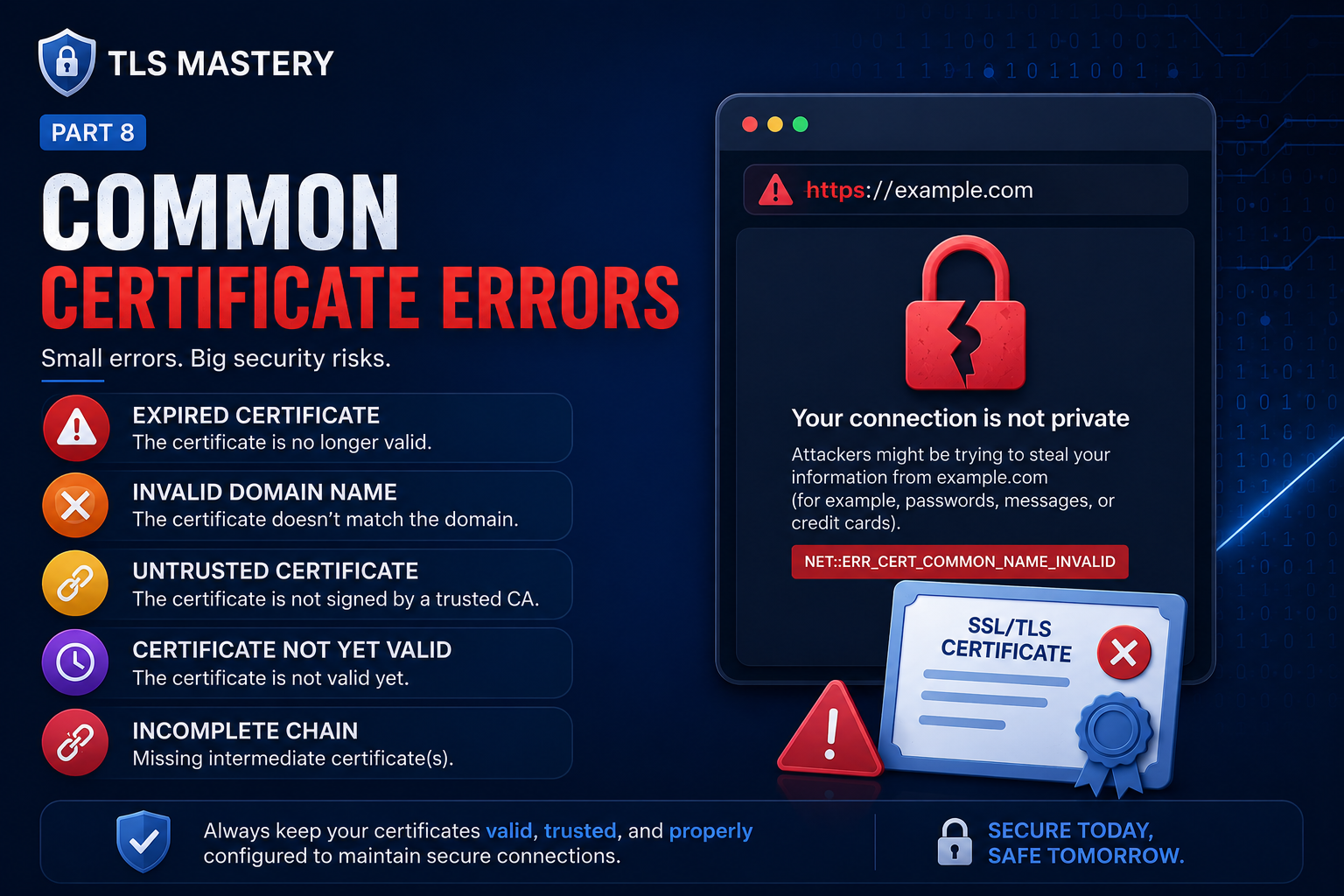
This final part is the survival guide — the errors you’ll actually meet across everything we’ve built, what each really means, and how to fix it. Keep it handy as a reference.
We’ll cover:
- Untrusted CA (self-signed / private CA)
- Hostname / SAN mismatch
- Expired or not-yet-valid certificates
- Incomplete chain (missing intermediates)
- The 502/503 backend re-encryption trap in Kubernetes
- Key/certificate pair mismatch
- Protocol/version errors
- Diagnostic commands you’ll reuse constantly
A 30-second triage map
Certificate error?
        |
        v
What does the browser say?
        |
        +-- AUTHORITY_INVALID    --> Untrusted CA -- trust the root (§1)
        |
        +-- COMMON_NAME_INVALID  --> Hostname not in SAN -- fix SAN (§2)
        |
        +-- DATE_INVALID         --> Expired / clock wrong -- renew or fix time (§3)
        |
        +-- 502 or 503 page      --> Routing / upstream TLS -- check ingress logs (§5)
        |
        +-- SSL_PROTOCOL_ERROR   --> Version / cipher mismatch (§7)
The single most useful habit: read the exact error string (browser code, curl -v, or openssl s_client). Each one points to a specific cause.
1. Untrusted CA — NET::ERR_CERT_AUTHORITY_INVALID
Symptom: “Your connection is not private”, browser shows a warning page, padlock missing.
Cause: The certificate was signed by a CA the client doesn’t trust — a self-signed cert, or a private/internal CA (very common in Kubernetes when cert-manager uses a self-signed root).
Fix:
- Right fix for production: use a publicly trusted certificate (e.g. Let’s Encrypt via cert-manager — Part 7). Public roots are already in every browser.
- For internal/private CA: distribute your root CA certificate to the clients’ trust stores:
- Browser/OS trust store (manual, as in Part 5), or
- Organisation-wide via MDM/group policy for managed devices.
- Inside the cluster: if another pod calls the ingress and fails verification, mount your root CA into that pod’s trust bundle (or configure its client to trust it). Don’t reach for “skip verification” outside throwaway testing.
This is exactly the case you hit: a self-signed cluster CA → “not secure” → fixed by adding the root to the browser/system trust store. That’s expected behaviour, not a bug.
2. Hostname / SAN mismatch — NET::ERR_CERT_COMMON_NAME_INVALID
Symptom: A certificate warning page (not a 503) saying the name doesn’t match. openssl reports “Hostname mismatch”; curl says “no alternative certificate subject name matches target host name”.
Cause: The hostname you connected to isn’t listed in the certificate’s Subject Alternative Name (SAN). Modern clients match against SAN, not CN — a cert with only a CN and no SAN fails regardless.
Fix:
- Reissue the certificate with the correct name(s) in the SAN list (Part 5). Include every name clients use — apex,
www, and any aliases. - For many subdomains, use a wildcard SAN (
*.example.com). - In cert-manager, set
dnsNameson theCertificate(or the Ingresstlshosts) to match exactly what clients request.
# See what names a served certificate actually covers
openssl s_client -connect example.com:443 -servername example.com </dev/null 2>/dev/null \
  | openssl x509 -noout -subject -ext subjectAltName
3. Expired or not-yet-valid — NET::ERR_CERT_DATE_INVALID
Symptom: Error mentioning the certificate has expired or “is not yet valid.”
Cause: Past the notAfter date, before the notBefore date, or — surprisingly often — the client’s clock is wrong.
Fix:
- Renew the certificate. With cert-manager, renewal is automatic; if it didn’t happen, inspect why (see §8 below).
- Check the validity window and the local system time:
openssl x509 -in cert.pem -noout -dates       # notBefore / notAfter
date                                           # is the machine's clock right?
Automation is the real cure here. Short-lived certs (Let’s Encrypt’s ~90 days) make manual renewal impractical, which is the whole reason for cert-manager.
4. Incomplete chain — “unable to get local issuer certificate”
Symptom: Works in some browsers but fails on other clients (mobile apps, curl, Java). Error: “unable to get local issuer certificate” or “unable to verify the first certificate.”
Cause: The server sends only the leaf certificate, not the intermediates. Desktop browsers sometimes paper over this by caching intermediates; stricter clients don’t.
Fix: Serve the full chain (leaf + intermediates). For nginx, ssl_certificate should point to fullchain.pem, not just the leaf (Part 6). In Kubernetes, make sure the tls.crt in your Secret contains the full chain; cert-manager handles this for you.
# Verify the chain a server actually presents
openssl s_client -connect example.com:443 -servername example.com -showcerts </dev/null
# Verify a cert against a known CA bundle
openssl verify -CAfile chain.pem cert.pem
5. The 502 / 503 backend re-encryption trap (Kubernetes)
The subtle one — a name mismatch that surfaces as a 502/503, not as a cert page.
Symptom: Browser shows 502 Bad Gateway / 503 Service Unavailable from the ingress controller; the ingress controller logs show an upstream TLS verification / name-mismatch error.
Cause: the ingress talks to the backend over HTTPS with verification on, and the name it uses doesn’t match the backend cert’s SAN — so the upstream handshake fails. A client-side mismatch shows a cert page; an upstream-side mismatch shows a gateway error. Same root cause, different symptom depending on where the failing handshake happens.
Don’t confuse it with a plain 503: if there’s no backend TLS involved, a 502/503 is usually a routing/health problem — wrong Service name/port, no ready endpoints, or the pod is down:
kubectl get endpoints <service>     # empty = no healthy pods
kubectl describe ingress <name>     # backend service + port correct?
kubectl logs <ingress-controller-pod> -n <ns>   # the real error lives here
6. Key / certificate pair mismatch
Symptom: The server won’t start, or TLS fails immediately. Logs mention “key values mismatch” or “private key does not match certificate.”
Cause: The tls.crt and tls.key are from different key pairs (e.g. you regenerated one but not the other).
Fix: Confirm they match. For RSA, the modulus must be identical:
openssl x509 -noout -modulus -in cert.pem | openssl md5
openssl rsa  -noout -modulus -in key.pem  | openssl md5
# the two hashes must be equal
If they differ, reissue both together, or recreate the Secret with the matching pair.
7. Protocol / cipher errors — ERR_SSL_PROTOCOL_ERROR, “handshake failure”
Symptom: Connection fails before any certificate is even evaluated.
Cause: No common ground in the handshake — e.g. the client only offers TLS 1.0/1.1 while the server requires 1.2+, or there’s no shared cipher suite.
Fix: Support TLS 1.2 and 1.3, disable older versions (Part 3). Test what a server accepts:
openssl s_client -connect example.com:443 -tls1_2 </dev/null   # try a specific version
openssl s_client -connect example.com:443 -tls1_3 </dev/null
A note on mixed content: if an HTTPS page loads an
http://script or image, the browser blocks it and shows a broken padlock. That’s not a certificate error — fix the resource URLs tohttps://.
8. cert-manager didn’t issue / renew (Kubernetes)
When using cert-manager, follow the object chain from the top down — each step explains the next:
kubectl describe certificate <name>          # Ready? message?
kubectl get certificaterequest               # was a request created?
kubectl describe certificaterequest <name>   # signing error?
kubectl get order,challenge                   # ACME only: challenge stuck?
kubectl describe challenge <name>             # why validation failed
kubectl logs -n cert-manager deploy/cert-manager
Common causes:
- ACME HTTP-01 challenge fails — the
/.well-known/acme-challenge/...path isn’t reachable (ingress/DNS/firewall). For wildcards, you must use DNS-01, not HTTP-01 (Part 7). - Rate limited — too many production attempts. Use Let’s Encrypt staging while debugging.
caissuer Secret missing/expired — for a private CA issuer, the referenced root CA Secret must exist and be valid.dnsNamesmismatch — the requested name doesn’t match what clients use — leads back to §2.
Diagnostic toolkit (bookmark this)
# What cert is served, plus its SAN and dates
openssl s_client -connect HOST:443 -servername HOST </dev/null 2>/dev/null \
  | openssl x509 -noout -subject -issuer -dates -ext subjectAltName

# Full verbose TLS attempt (great first step)
curl -v https://HOST

# Test a specific IP without changing DNS/hosts
curl -v --resolve HOST:443:1.2.3.4 https://HOST

# Skip verification ONLY to confirm "is it purely a trust problem?"
curl -vk https://HOST

# Verify a chain locally
openssl verify -CAfile rootCA.crt -untrusted intermediates.pem leaf.crt

# Decode any local cert / CSR
openssl x509 -in cert.pem -text -noout
openssl req  -in req.csr  -text -noout
Tip:
curl -k(skip verify) is a diagnostic, not a fix. If-kworks but normalcurlfails, you’ve confirmed a trust problem (§1) rather than a routing or expiry problem.
Putting it together
The two classic real-world issues map cleanly onto this guide:
- “Not secure” with a self-signed/private cluster CA — §1 (untrusted CA). The
caissuer signed valid leaves, but the private root wasn’t in the browser/OS trust store. Adding the root fixes it. - 503 with a name-mismatch in logs — §5 (backend re-encryption). The ingress validated the upstream cert and the name didn’t match its SAN, so the upstream handshake failed and surfaced as a 503.
Almost every certificate problem reduces to three questions: Is it trusted? Does the name match? Where is the failing handshake?
Series wrap-up
That completes TLS Mastery — from first principles to production design and debugging:
- Why TLS & cryptography
- HTTPS, certificates, CAs, PKI & the 3 certificate types
- The handshake (classic vs modern), versions & SNI
- OpenSSL: self-signed cert + nginx
- Build your own CA: root → intermediate → leaf, CSR & SAN
- Formats, revocation, Let’s Encrypt & HSTS
- Kubernetes Ingress TLS, mTLS, client certs & cert-manager
- Common certificate errors (this post)
Deliberately out of scope (possible bonus posts): TLS 1.3 0-RTT trade-offs, session resumption/tickets, certificate transparency logs, post-quantum key exchange, and the deep math of Diffie–Hellman/elliptic curves.
Previous: Part 7 — Kubernetes Ingress TLS, mTLS & cert-manager « · Back to Part 1 — Why TLS Exists «