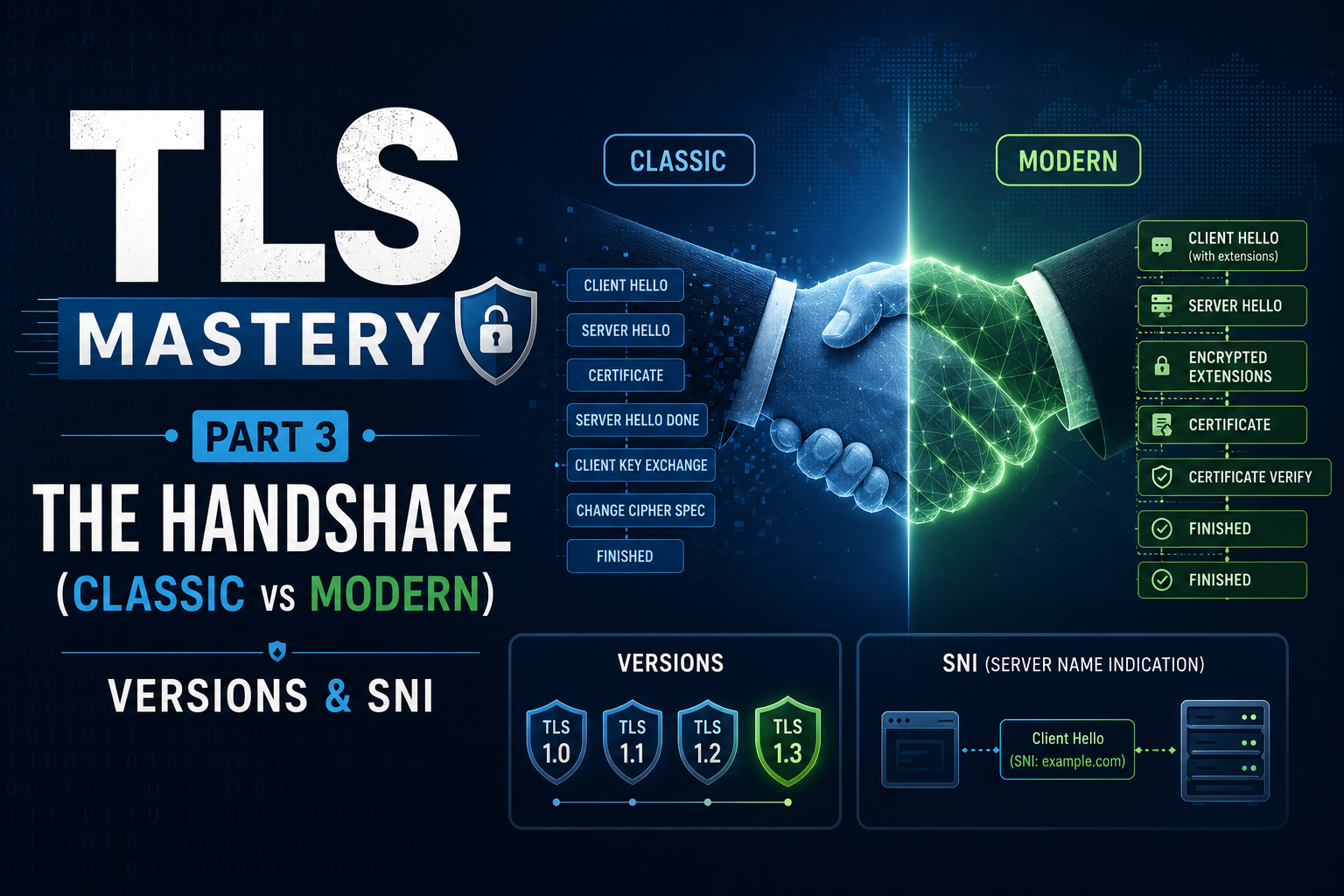
In Part 2 we covered certificates, CAs, and trust. Now for the heart of TLS: the handshake that happens before any encrypted data flows. It completes in a fraction of a second, but a lot happens.
In this part:
- What the handshake achieves
- The classic teaching model (and why it’s no longer how TLS works)
- The modern handshake: forward secrecy in TLS 1.2 and 1.3
- TLS versions — which are safe, which are dead
- Cipher suites in plain English
- SNI — how one IP serves many HTTPS sites
What the handshake achieves
Two goals, in order:
- The client authenticates the server (is this really
bank.com?). - Both sides agree on a shared symmetric session key for the rest of the conversation.
Why switch to a symmetric session key? Because asymmetric crypto is slow. We use asymmetric crypto only to bootstrap a shared secret, then use the fast symmetric key for the data.
The classic teaching model (RSA key transport)
This is the model most tutorials (and the original videos this series is based on) describe. It’s a great mental picture — just know it’s the old way.
Browser (Client)                         Server (bank.com)
     |                                          |
     |------- 1. Connect (https://bank.com) --->|
     |                                          |
     |<------ 2. Certificate (public key) ------|
     |                                          |
     |  3. Validate cert using CA public key    |
     |     (already in browser)                 |
     |                                          |
     |  4. Generate random session key          |
     |                                          |
     |------- 5. Session key encrypted -------->|
     |           with server's PUBLIC key       |
     |                                          |
     |          6. Server decrypts with         |
     |             PRIVATE key — both sides     |
     |             now share the session key    |
     |                                          |
     |<======= 7. Encrypted data (fast ========>|
     |            symmetric session key)        |
- Client connects over HTTPS.
- Server sends its certificate (public key, signed by a CA).
- Browser validates it using the CA’s public key already in the browser.
- Browser generates a random session key.
- Browser encrypts that key with the server’s public key and sends it.
- Server decrypts it with its private key. Both now share the session key.
- All further traffic uses the fast symmetric session key.
Why an attacker sniffing everything still fails: they can see the certificate (public, fine) and the encrypted session key crossing the wire — but only the server’s private key can decrypt that session key, and they don’t have it. The lookalike-domain attack fails at step 3: the fake site’s certificate isn’t signed by a trusted CA (or doesn’t match the domain), so the browser rejects it.
Golden rule: never share your private key. When the server “shares its certificate”, that contains only the public key.
The modern reality (and an important correction)
The classic model above is RSA key transport, and modern TLS has moved away from it. Here’s the correction worth knowing:
In RSA key transport, the session secret is encrypted to the server’s long-term public key. That means if an attacker records today’s traffic and later steals the server’s private key, they can decrypt all those past sessions. That’s a serious weakness — no forward secrecy.
Modern TLS fixes this:
- TLS 1.2 with recommended cipher suites, and TLS 1.3 always, use an ephemeral key exchange — (Elliptic-Curve) Diffie–Hellman Ephemeral (ECDHE).
- Client and server each contribute fresh, temporary values and derive a shared secret that is never sent over the wire.
- The server’s certificate/private key is now used to sign the handshake (to prove identity), not to transport the key.
Browser                                  Server
     |                                          |
     |--- ClientHello ----------------------->  |
     |    (versions, ciphers, key share)        |
     |                                          |
     |<-- ServerHello + certificate ------------|
     |    + server key share + SIGNATURE        |
     |                                          |
     |  Validate cert + verify signature        |
     |  (confirms server identity)              |
     |                                          |
     |  Both sides derive the SAME shared       |
     |  secret via ECDHE — never sent over wire |
     |                                          |
     |--- Finished (encrypted) --------------->|
     |                                          |
     |<-- Finished (encrypted) ----------------|
     |                                          |
     |<======= Application data (encrypted) ===>|
The benefit is forward secrecy: because the key-exchange values are ephemeral (thrown away after the session), stealing the server’s private key later does not decrypt past traffic. The private key only ever proved identity.
TLS 1.3 also makes the handshake faster (typically one round trip, “1-RTT”), removes old/weak options, and starts encrypting earlier in the conversation. (It also offers an optional “0-RTT” resumption mode for repeat visits, which trades a little security for speed — fine to skip as a beginner.)
Takeaway: the classic “encrypt the session key with the server’s public key” story is a fine first mental model, but real-world TLS today derives the key with ECDHE and uses the certificate only to authenticate. If you remember one upgrade from this post, make it forward secrecy.
TLS versions — what’s safe in 2026
| Version | Year | Status |
|---|---|---|
| SSL 2.0 / 3.0 | 1995 / 1996 | Dead — insecure, disabled everywhere |
| TLS 1.0 | 1999 | Deprecated (officially retired in 2021) |
| TLS 1.1 | 2006 | Deprecated (retired in 2021) |
| TLS 1.2 | 2008 | Still widely used and secure when configured well |
| TLS 1.3 | 2018 | Current best — faster, simpler, safer by default |
Practical guidance: support TLS 1.2 and 1.3, and disable everything older. If a tool or site still requires TLS 1.0/1.1, treat that as a problem to fix.
Cipher suites in plain English
A cipher suite is the agreed-upon set of algorithms for a connection. In TLS 1.2 a suite name looks intimidating but is readable once you split it:
TLS_ECDHE_RSA_WITH_AES_128_GCM_SHA256
     |     |        |          |
     |     |        |          +-- hash (integrity / key derivation)
     |     |        +------------- bulk cipher (encrypts the data)
     |     +---------------------- authentication (the certificate type)
     +---------------------------- key exchange (how the shared secret is made)
- Key exchange: ECDHE — gives forward secrecy.
- Authentication: RSA (or ECDSA) — how the server proves identity.
- Bulk cipher: AES-128-GCM — the fast symmetric encryption for your data.
- Hash: SHA-256 — integrity and key derivation.
TLS 1.3 simplified this dramatically — its suites only name the bulk cipher and hash (e.g. TLS_AES_128_GCM_SHA256), because key exchange and authentication are always negotiated separately with secure defaults.
SNI — many sites, one IP
One server with one IP address often hosts many HTTPS sites. But the server needs to send the right certificate before it knows which site you want — chicken and egg.
Server Name Indication (SNI) solves this: the client includes the target hostname in the very first handshake message (the ClientHello), so the server can select the matching certificate.
                  ClientHello: host = shop.example.com
Client  -------------------------------------------------->  Server (one IP)
                                                              hosts multiple sites:
        <----  certificate for shop.example.com  ---------   - shop.example.com
                                                              - blog.example.com
                                                              - api.example.com
SNI is why shared hosting and reverse proxies can serve hundreds of HTTPS domains from a single address. (An advanced extension called Encrypted Client Hello / ECH can hide the hostname for privacy, but standard SNI sends it in the clear.)
Coming up
You now understand:
- The handshake authenticates the server and establishes a shared symmetric key.
- Modern TLS (1.2 ECDHE / 1.3) derives that key with ephemeral Diffie–Hellman for forward secrecy — the certificate only authenticates.
- Use TLS 1.2/1.3; older versions are dead.
- Cipher suites name the algorithms; SNI lets one IP serve many HTTPS sites.
In Part 4 we get hands-on with OpenSSL: certificate types, the CSR, a self-signed certificate, and enabling TLS on nginx.
Previous: Part 2 — HTTPS, Certificates, CAs, PKI & the 3 Certificate Types « · Next: Part 4 — Hands-On OpenSSL: Self-Signed Cert + nginx »